01Background
I had been off Strava for a few days, including the weekend, which is when users typically upload their biggest miles, hardest efforts, and best photos. Strava is the social app where my friends post their runs and rides, and give “kudos”, equivalent to a “like” on other apps. Because I follow a lot of riders I’ve met on group rides, a few days means coming back to an endless feed of activities to give kudos to.
Even worse, the feed is filled with noise I’d rather skip. Thanks to Strava’s sorting algorithm, I saw activities I had seen before, short commutes, and spam club posts from strangers.
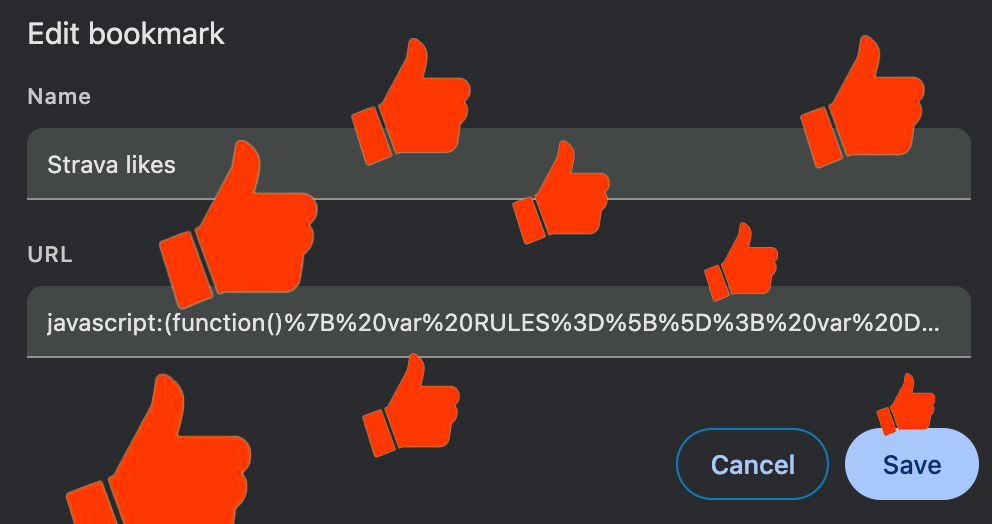
Pressed for time, I quickly authored a bookmarklet, a browser script, that automatically gave kudos to every activity on the page.
02Problem
The bookmarklet saved me time and reduced my cognitive load, but after a few uses, it made me uneasy.
To me, giving kudos acknowledges and respects the effort you put in, or the achievement you reached. Somewhere in the feed that I skipped, someone might have set a hard-earned personal record (PR) or completed an iconic climb, and I had missed it. Meanwhile, the bookmarklet had given kudos to someone’s leisurely walk to the bodega.
Another daily routine I stick to is congratulating every Facebook friend on their birthday. If I had automated that, I’d never know whose birthday it was, and would awkwardly have nothing to say if I ran into them that day. On Strava, the birthday could be a marathon PR or an iconic climb.
The blanket-approval approach that included dog walks and short commutes felt lazy. It stripped my kudos of any significance.
03Solution
I stopped using the bookmarklet and went back to manually and selectively giving kudos.
I repeated that for years because I didn’t have the drive to invest time in building another automation. I also didn’t have generative AI back then to rapidly prototype my ideas. Suddenly, the expected investment in time dropped. If I explored an idea and it flopped, I wouldn’t feel bad about abandoning it.
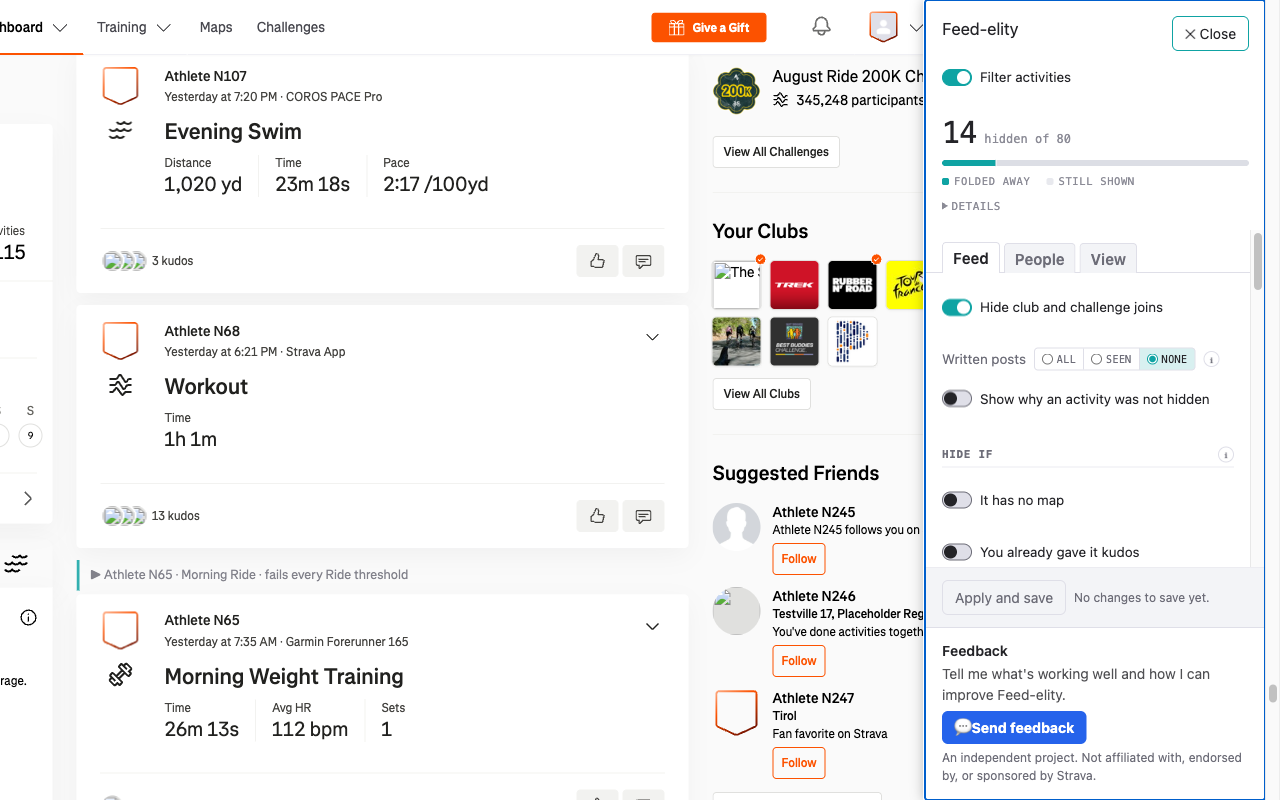
In a short amount of time, I built the first version of Feed-elity, a Chrome extension that gave me control over what appears in my Strava feed.
If you’re looking to explore building with AI but aren’t sure where to start, here’s my advice.
04Start from a chore you barely tolerate
My idea came from the following inconveniences I had endured for years:
- Spam club posts from strangers.
- Strava’s algorithmic feed showing me activities I’d already seen
- The effort of finding the activities worth celebrating
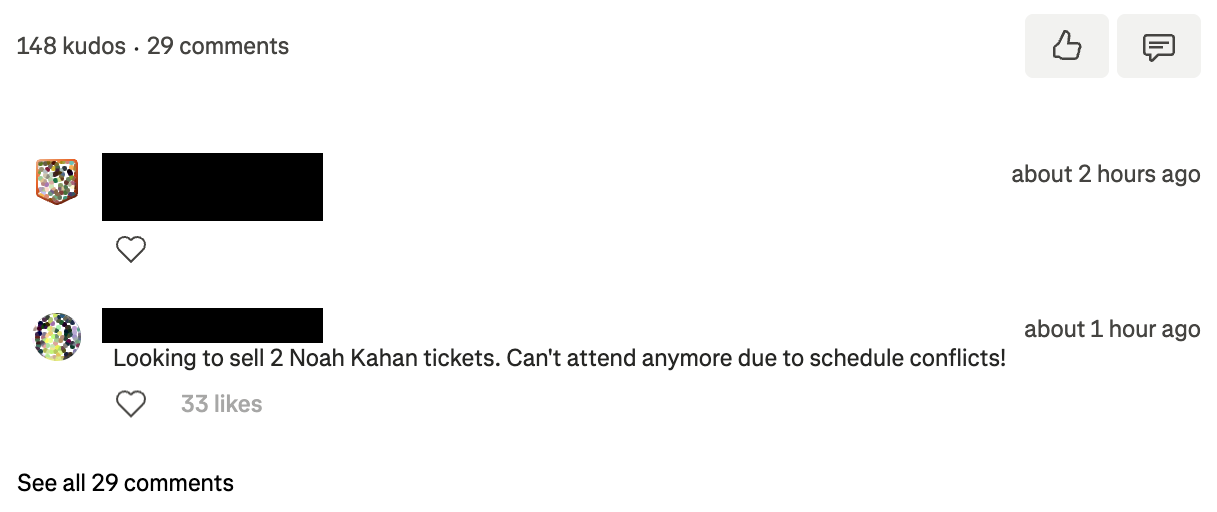
The catalyst came this summer when I saw other runners and cyclists complaining online about the same ticket-sale spam that I had seen, identifying it as a payment scam. In their screenshots, dozens of people were giving kudos to these spam posts. I wondered whether the real users behind them used a kudos-giving bookmarklet like the one I used to have.
Yours might be something like selecting the right gift or writing personal emails.
05Don’t copy what was built for everyone
When researching existing tools after the ticket spam surfaced, I found an extension that had several Strava feed-filtering features, as well as a button to “Give Kudos to Everyone.”
Functionally, it was the same thing as my old bookmarklet, but packaged in a better UI. While some users might appreciate the option, I left it out without hesitation. Omitting it eliminates the shortcut that devalued my kudos.
Instead, I focused on building intelligent filtering that eliminated the spam. With Feed-elity, I could make the spam disappear with one toggle.
06Let real use tell you what to cut
While building Feed-elity, I implemented a keyword filter to hide an activity when its title matches a word, such as “commute” or “dog walk”.
It helped me hide the low-effort activities in my initial testing, but I decided to remove it after a few days of using it. I discovered that it hid moments I actually wanted to see, such as a spectacular sunrise over the river during someone’s commute, or someone’s dog frolicking in the lake.
AI seems to over-engineer solutions, suggesting every rule you can think of. Fortunately, at the time of writing, it still lets you be the editor-in-chief. You decide what features to include and omit. Since AI could rewrite the logic and rebuild the extension within seconds, I never needed to consider the sunk cost of throwing away code.
I threw out the keyword rules along with several other filters that cluttered the filtering logic. Instead, I only kept the rules that were essential to solving my problems. The extension shows you all activities that match a base set of rules and automatically collapses when give them kudos. That cut the complexity while covering nearly everything on my list.
07Polish and share
Rather than keep Feed-elity to myself, I decided to polish the UI and publish it for others that shared my feed fatigue.
The main barrier was a small, one-time $5 developer fee for the Chrome Web Store, but passing their automated checks and review process gives users confidence that the extension was safe to use. I used AI’s help throughout the release process, including brainstorming names for the tool, drafting the store submission, and generating promotional assets.
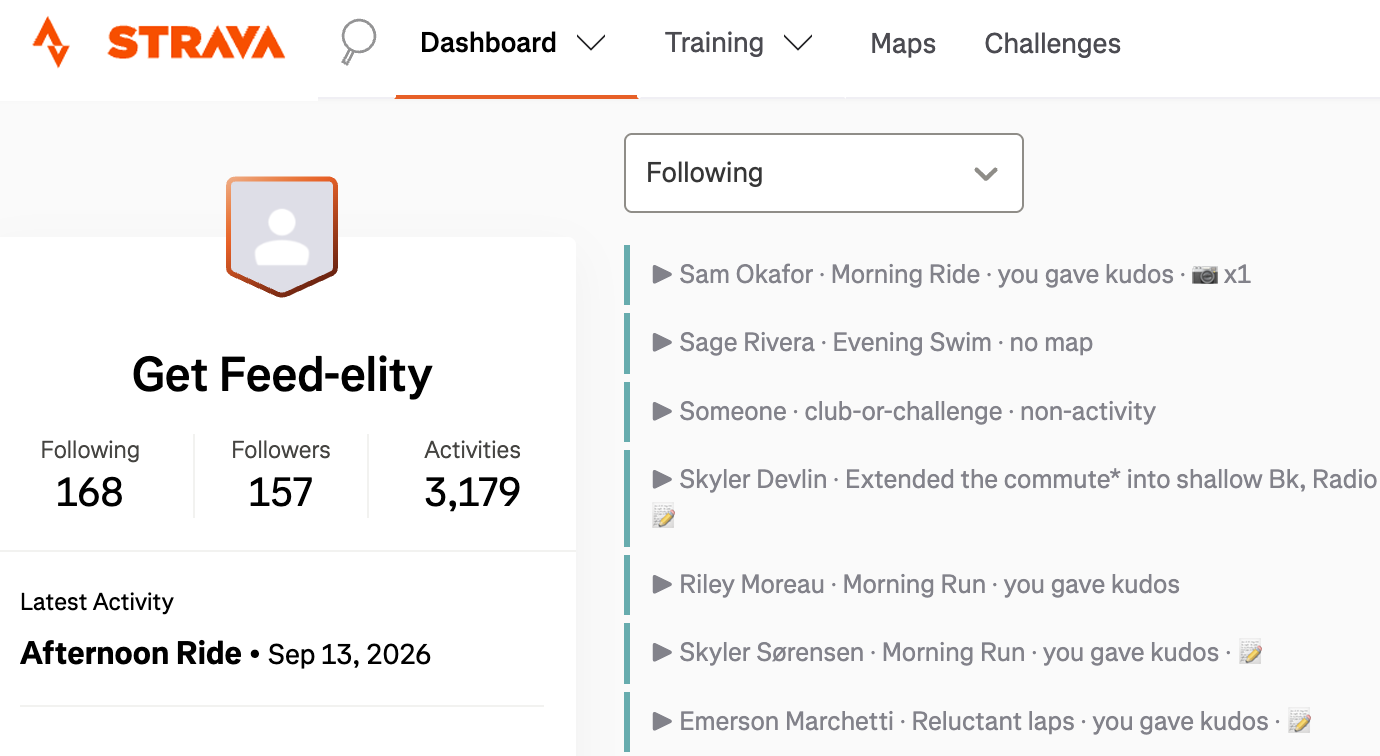
Catching up after a weekend away is painless now. The noise is gone, the higher-effort activities stand out, and when I’m done giving kudos, every activity in the feed is collapsed. That makes time for leaving meaningful kudos and comments. I want to learn about and celebrate my friends’ wins instead of playing Farmville with my kudos.
When a tool you use every day turns into a chore, don’t automate away the meaningful part. Build the version that lets you spend time on what matters.
If managing your Strava feed is currently a Noah Kahan do, check out Feed-elity (free) on the Chrome Web Store and please send me any feedback you have!